 Arkpine Software
Guides · Updated November 2026
 STL & OBJ Viewer
Open an STL file online
Drop the .stl or .obj on the STL & OBJ Viewer page, or click Choose a file, and the 3D model appears in your browser, ready to turn around, with its size and triangle count. No 3D program or slicer is needed, and nothing is uploaded: the model is read and drawn on your computer.
Free to view, measure and estimate print weight. No software, no sign-up, no upload.
Three steps
- Open the viewer
The viewer is one page. It runs in a current browser on Windows, macOS, Linux or ChromeOS.
- Drop the file on it
Drag the .stl or .obj onto the page, or click Choose a file. No account is needed. A model in Google Drive™ opens from its Open with menu.
- Turn it around
Drag to rotate, scroll or pinch to zoom, right-drag or two fingers to move. Fit, Top, Front and Side put it back in view.
What you see
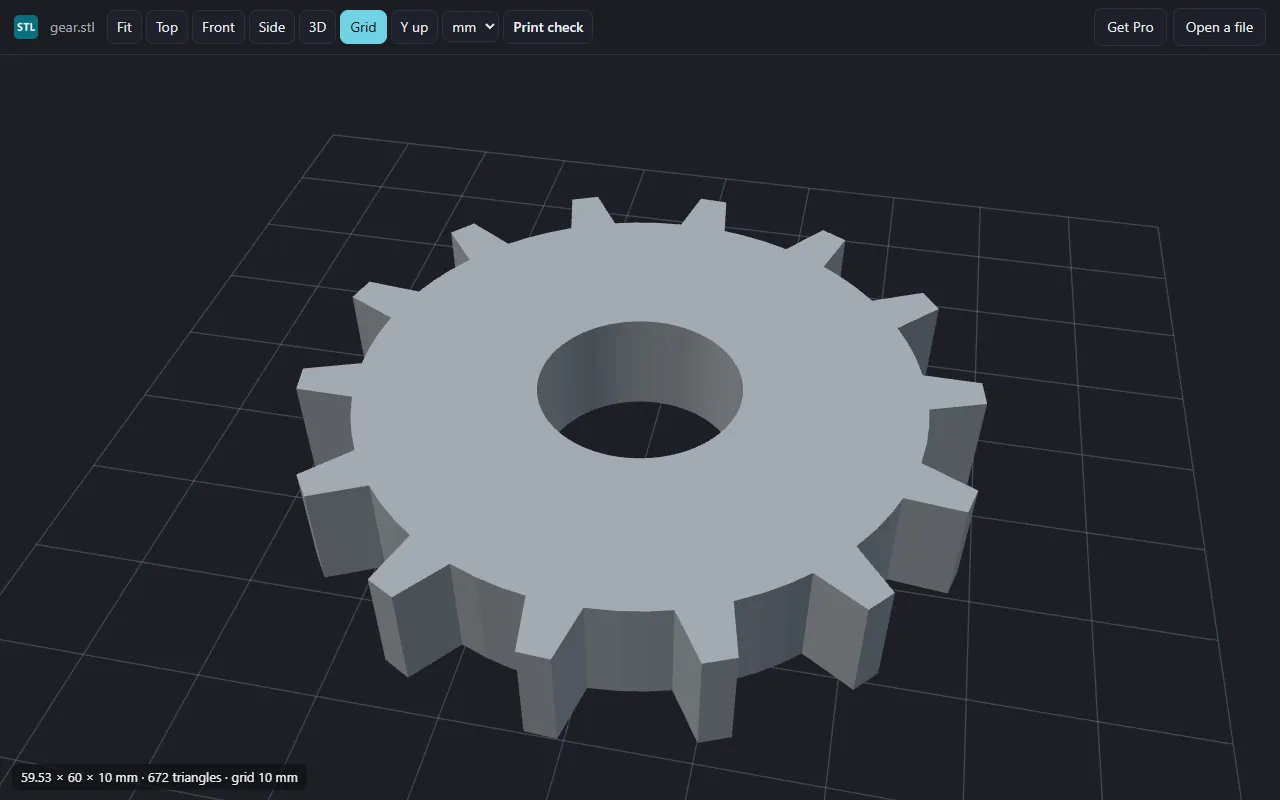
- The model, from any side. Binary and ASCII .stl, and .obj, by mouse or touch. A large model stays movable: while you turn it, a lighter copy is drawn, and full detail returns when you let go.
- Its size. Width, depth and height in the file's units, the triangle count, and a grid for scale.
- Y up, when needed. STL files usually stand on Z; models from animation programs often stand on Y, and one button stands them upright.
Before you print
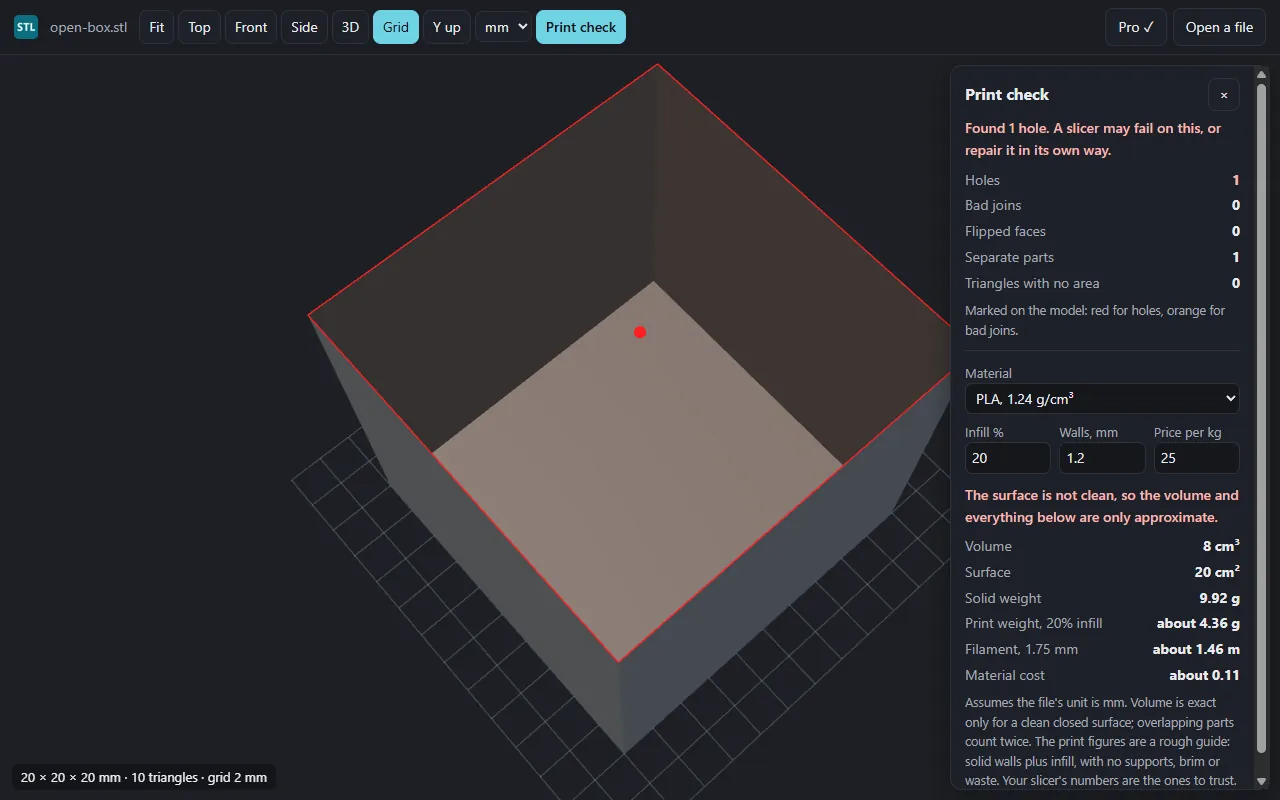
Print check opens a panel with the model's volume and surface area. Choose the material (PLA, PETG, ABS and others), the infill and the wall thickness, and it estimates the print weight, the filament length and the material cost. This part is free.
The estimate is rough on purpose: solid walls plus infill, with no supports, brim or waste. Volume is exact only for a clean closed surface, and overlapping parts count twice. Your slicer's numbers are the ones to trust.
Pro, a one-time $9.99, adds the hole check. Holes, bad joins and flipped faces can make a slicer fail or fill a part wrongly; Pro counts them and marks the holes and bad joins on the model. Without Pro, the panel still says whether the surface has problems.
Where the limits are
- An STL file has no unit. The viewer assumes millimetres; you can choose centimetres, metres or inches.
- Shape only. Colours, textures and materials are not shown, and 3MF, STEP and glTF files do not open.
- Up to 8,000,000 triangles and 400 MB, because a larger model can run the browser out of memory. The hole check runs on models up to 4,000,000 triangles.
- It needs WebGL 2, which is on by default in current browsers. If it is off, the page says so and still gives the size and triangle count.
- The check does not find a surface that cuts through itself. Your slicer may still report that.
Questions
Is my model uploaded anywhere?
No. The viewer has no server of its own. The browser reads the file on your computer and draws the model there.
Can I open an STL from Google Drive™?
Yes. Connect the viewer to Google Drive™ once from its page, then right-click a .stl or .obj file in Google Drive™ and choose Open with, then STL Viewer. The file goes from Google straight to your browser.
What unit is my STL file in?
An STL file does not say. The viewer assumes millimetres, the usual unit for 3D printing, and you can switch to centimetres, metres or inches. If a model reads as less than 1 mm long, it was probably saved in metres, and the page says so.
Can it tell me how much filament a print needs?
Yes, for free. Choose the material, infill and wall thickness, and it gives the volume, a print weight, the filament length and the material cost. It is a rough guide with no supports, brim or waste; your slicer's numbers are the ones to trust.
Is it free?
Viewing, measuring and the weight and cost estimate are free. Pro, a one-time $9.99, adds the hole check: holes, bad joins and flipped faces, with holes and bad joins marked on the model.
Why is my model grey?
The viewer shows shape only. An STL file has no colours, and the colours, textures and materials of an .obj are not shown.
Which 3D formats open?
STL, binary or ASCII, and OBJ. 3MF, STEP and glTF files do not open.