 Arkpine Software
Guides · Updated November 2026
 EML & MSG Viewer
Open a .msg file without Outlook
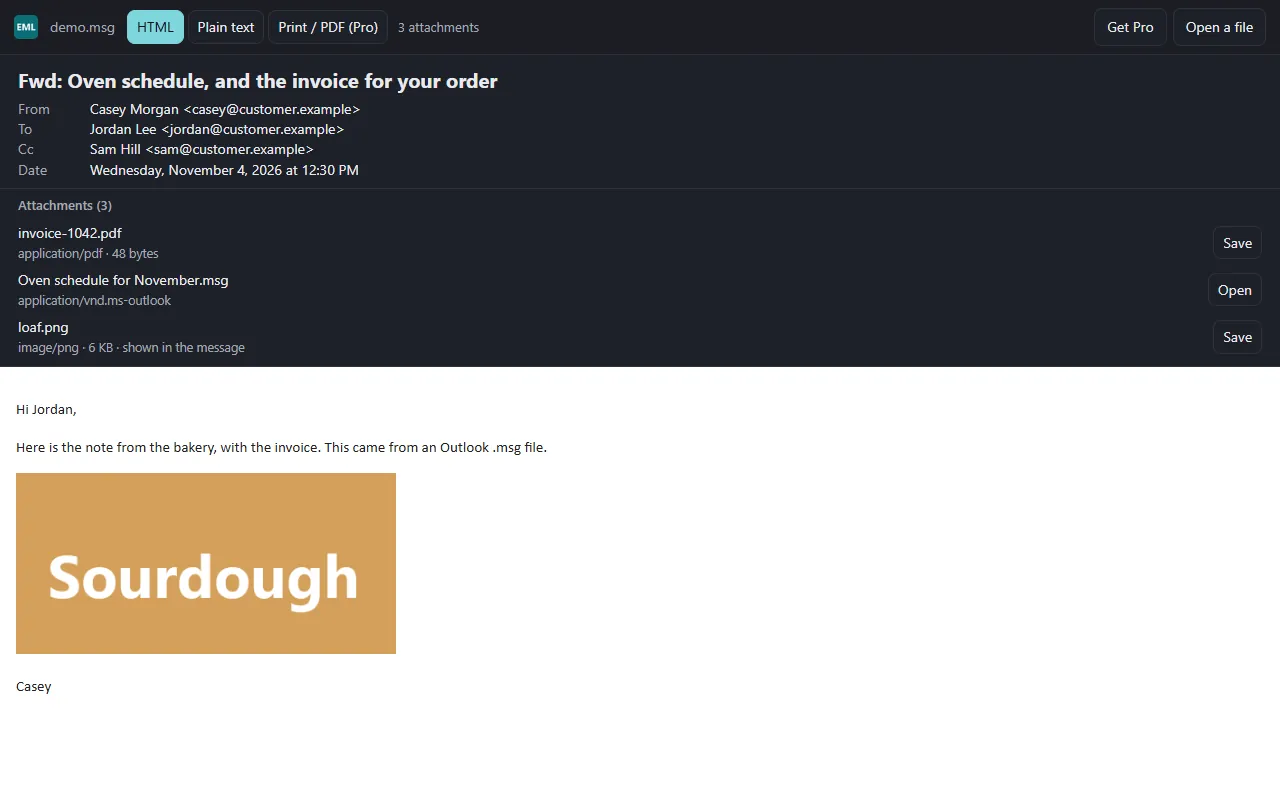
Drop the .msg on the EML & MSG Viewer page, or click Choose a file, and the Outlook email opens in your browser, with its pictures and attachments, on Windows, a Mac, Linux or a Chromebook. A .msg is one email saved by Outlook; the file is opened on your computer and is not sent anywhere.
Free to read messages and save attachments. No Outlook, no sign-up, no upload.
Three steps
- Open the viewer
The viewer is one page. It runs in a current browser on Windows, macOS, Linux or ChromeOS.
- Drop the file on it
Drag the .msg onto the page, or click Choose a file. No Google or Microsoft account is needed for this.
- Read and save
Subject, sender, recipients, date and the message itself. Each attachment has a Save button.
What you see
- The message as it was written. HTML or plain text, with a switch between them, and the pictures that came inside the email.
- Every attachment. Listed with its type and size, each one saved on its own. An email attached to the email opens too.
- .eml files as well. The format most other mail programs save. More on .eml
Safe with mail from strangers
A saved email can come from anyone, so the viewer treats every file as hostile.
- Remote images are never loaded. Loading one tells the sender that you opened the message, and from where. The page says how many it blocked.
- Scripts in a message do not run, and forms in it do not work.
- Links open only when you click them, in a new tab, and their addresses are listed so you can read them first.
Where the limits are
- Encrypted mail cannot be read. A message encrypted with S/MIME or PGP shows that it is, and its protected part is listed as an attachment.
- winmail.dat is not unpacked. It is listed and can be saved. Mailbox files (.pst, .mbox) do not open: this reads one message at a time.
- Files over 150 MB do not open, because a larger one can run the browser out of memory.
- Printing the whole message is Pro, a one-time $14.99: the full message with sender, recipients, date and attachment names on top, to paper or PDF through your browser's print dialog.
Questions
Is my email uploaded anywhere?
No. The viewer is static files with no server of its own. The browser reads the file on your computer.
Can I open a .msg from Google Drive™?
Yes. In Google Drive™, connect the viewer once from its page, then right-click a .msg file and choose Open with. The file goes from Google straight to your browser.
Does it work on a Mac or a Chromebook?
Yes. It needs only a browser, so it works where Outlook is not installed.
Why does my computer say it cannot open .msg?
The .msg type belongs to Outlook. Where Outlook is not installed, there is usually no program set up to open it.
Is it free?
Reading messages and saving attachments is free. Pro, a one-time $14.99, adds printing the whole message, to paper or PDF, with the sender, recipients, date and attachment names on top.
Can I save the attachments?
Yes. Each attachment is listed with its type and size and has its own Save button. A winmail.dat is listed and can be saved, but it is not unpacked.
Can I open a .pst file?
No. Mailbox files (.pst, .mbox) do not open; the viewer reads one message at a time.